Most administrative work in a small business follows rules. When a quote is sent, follow up in three days. When a payment arrives, mark the order paid and tell the warehouse. When a client's document expires, remind the account manager two weeks before. Rules like these are easy to state and exhausting to carry out by hand, and they are exactly what software should be doing.
Coding Moose builds workflow automation for small and medium businesses in Germany, Austria, Switzerland, Poland and the United States. We take the repetitive, rule-based tasks that eat your team's week and turn them into triggers and actions that run themselves, with a log of everything that happened.
What we automate
The starting package covers the automation patterns that save the most time in a typical business:
- Automatic follow-ups and updates. Quotes, invoices, renewals and onboarding steps get reminders and status changes on schedule, without anyone keeping a list.
- Auto-actions. When a trigger fires, the system sends the e-mail, creates the task, updates the record or generates the document. Chains of actions run in order.
- Document generation. Contracts, compliance paperwork, reports and confirmations built from your data in one click or fully automatically.
- Notifications to the right person. Deadlines, exceptions and approvals reach the person responsible by e-mail, SMS or a dashboard, not the whole team.
- Activity log with alerts. Every action is recorded; failures alert a human immediately.
Add-ons include additional workflow triggers and actions, prebuilt flows for common processes, and a full audit trail suitable for regulated industries. You can see the complete breakdown on the pricing page.
Signs your business is ready for automation
- The same e-mails are written every week. Follow-ups, confirmations, reminders and status updates that differ only in the name and the date.
- Data is copied between systems by hand. Orders retyped into accounting, contacts copied from forms into a spreadsheet, statuses updated in two places.
- Things fall through the cracks. Missed follow-ups, expired documents nobody noticed, approvals stuck in an inbox.
- Compliance needs proof. Inspections and audits ask who did what and when, and the answer currently lives in memory and scattered files.
- You have a tool that almost does it. Your CRM or shop has the data but not the rules, so staff bridge the gap manually.
A real example: Jo&Co Recruitment
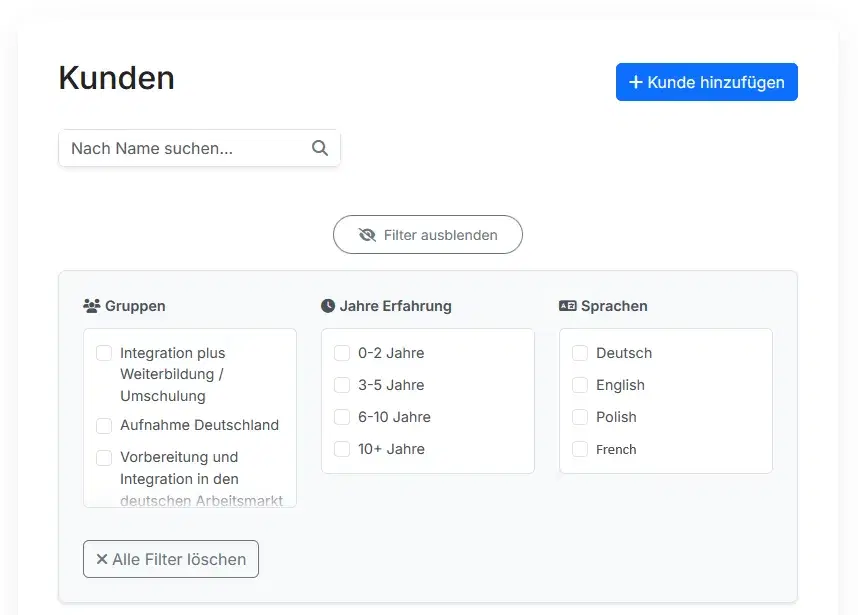
Jo&Co, a recruitment consultancy in Germany placing candidates under government-regulated programs, spent hours before every inspection compiling Word files into PDFs and re-entering data across screens. We built a focused system that generates audit-ready documents in about three seconds and automates the follow-up steps around each client. Registration went from 15 minutes to three, and the team saves roughly 39 staff hours a month. Designed, built and launched in three weeks. Read the Jo&Co case study.
How an automation project runs
- Discovery call. A free thirty-minute conversation about where the manual work is. Bring the spreadsheets and the e-mail templates; they are the specification.
- Planning workshop. We list candidate workflows, estimate hours saved for each and pick the first batch. Every workflow is written down as "when X happens, do Y, unless Z". You get a fixed price and a timeline.
- Build with weekly demos. Workflows go live one at a time in a test mode where you can see what they would have done before they do it for real.
- Launch and handover. Automations run in production, your team knows where the log is and how to pause a rule, and you receive the source code.
- Extend as you go. Once the first rules are saving hours, the next candidates are obvious.
Standalone or built into your system
Automation can run on top of tools you already use, reading and writing through their APIs, or it can be part of a custom CRM, an online shop or a custom web application we build for you. Combining automation with one of those in a single project is common and usually earns a discount, because the data and the rules live in the same place.
Technology and security
Automations are built with TypeScript and Node.js on PostgreSQL, hosted on AWS in EU data centres in an account you own. Connections to external services are encrypted, credentials are stored in a secrets manager, and every action is logged. Because the rules run inside your own infrastructure, there is no per-execution fee and no third-party platform handling your client data.
Pricing and timeline
Workflow automation starts at €3,900 excluding VAT and typically goes live within a month, including design, development, testing, deployment and source code handover. Hosting is separate and costs a few dollars a month. Compare all solutions on the pricing page, or tell us which tasks eat your week and we will reply within a few days with a written scope and a fixed quote.