Speed & Mobile Made Simple: A Non-Tech Checklist
A simple, jargon-free checklist for making your website fast and mobile-friendly. No coding knowledge required—just hand this to your web person and watch performance improve.

Why Speed and Mobile Matter
If your website takes too long to load, customers won't wait. Studies show over half of mobile visitors leave after three seconds — and that one-second delay can drop conversions by a few percent. A fast site keeps people engaged, while a slow one feels like a slow cashier line: frustrating and forgettable.
Speed also affects your visibility. Google uses page speed and mobile performance as ranking factors, so if your site drags, it might not even show up where customers can find it. For small businesses, that's lost traffic and sales.
Just as important, most people now browse on phones — more than 60% of web traffic comes from mobile devices. If your site forces users to pinch, zoom, or scroll sideways, they'll leave. Over half of people won't recommend a business with a bad mobile site. So, good performance isn't a luxury; it's customer service.
This checklist expands the mobile and speed section of our small business website guide.
The Non-Tech Speed & Mobile Checklist
Here's a simple, jargon-free checklist you can hand to your web person. Each item includes why it matters and what "good" looks like — no coding knowledge needed.
1. Fast Load Time (2–3 Seconds or Less)
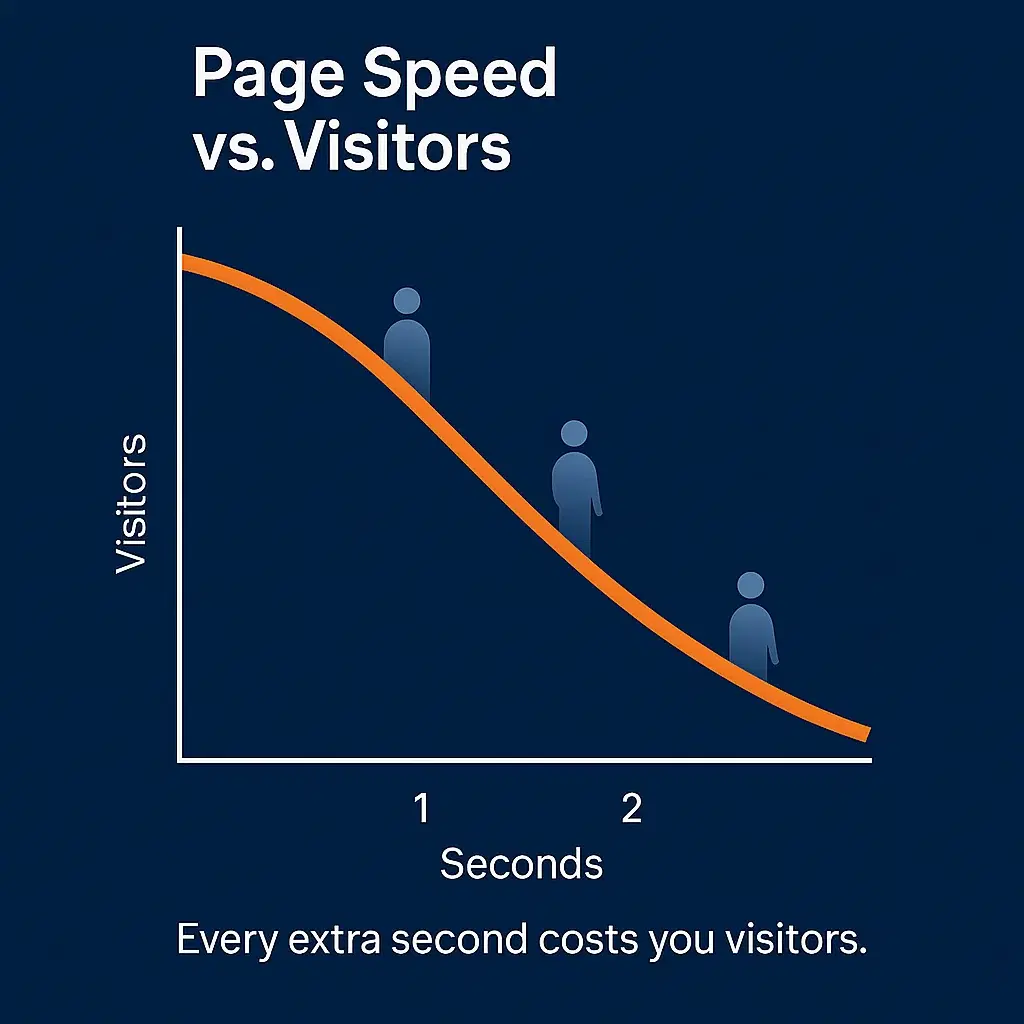
Why it matters: Visitors expect instant results. Every extra second costs you engagement and conversions.
What good looks like: Pages appear within a couple of seconds. Ask your web person to check speed and remove anything unnecessary — oversized photos, slow plug-ins, or clunky scripts. Customers shouldn't have time to wonder if something's broken.
2. Responsive Design (Fits Any Screen)
Why it matters: Your site should automatically adjust to any device — phone, tablet, or laptop.
What good looks like: On a phone, everything fits neatly on screen with easy vertical scrolling. No sideways sliding, tiny text, or chopped-off sections. Load your site on your own phone: if you need to zoom in, it's time to fix the layout.
3. Readable Text & Clear Layout
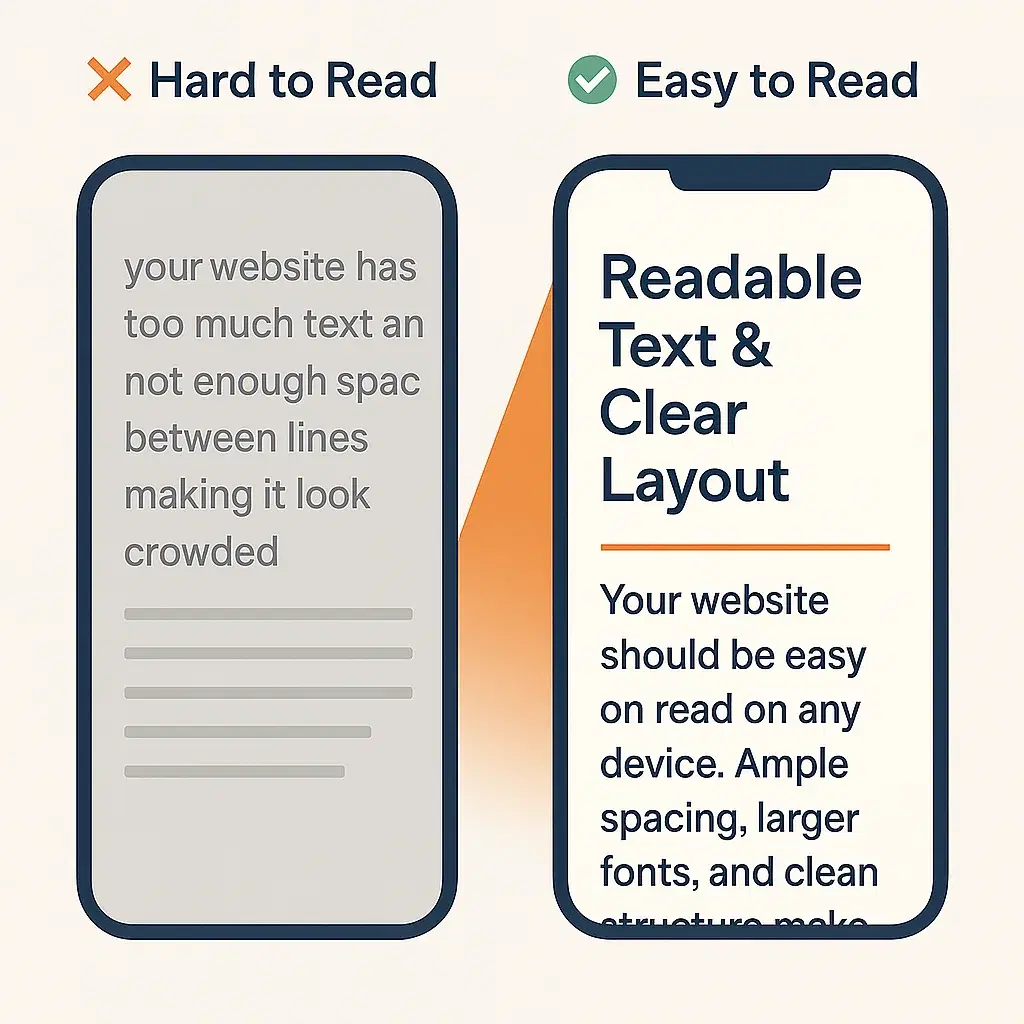
Why it matters: Small or jumbled text makes visitors give up, especially on a phone.
What good looks like: Text resizes automatically. Headlines stand out, paragraphs are spaced well, and nothing overlaps. If you can read it comfortably without zooming, you're good.
4. Simple Navigation on Mobile
Why it matters: Complicated menus confuse people and drive them away.
What good looks like: A clean "hamburger" menu (the three-line icon) that expands easily. Items are big enough to tap and clearly labeled — like Home, About, Services, Contact. Test it with one thumb. If you can't reach something easily, it needs adjustment.
5. Big, Thumb-Friendly Buttons
Why it matters: Tiny links or crowded buttons are easy to miss and frustrating to tap.
What good looks like: Buttons (like "Call Now" or "Buy") are large, spaced apart, and easy to hit on a small screen. No accidental mis-taps. If your friend struggles to click a link on your phone, ask your web person to resize it.
6. Optimized Images (Small File Sizes)
Why it matters: Large photos are the number-one cause of slow pages. They look nice — but if they make people wait, they cost you business.
What good looks like: Photos look crisp but load fast. Ask your web person to compress images and turn on "lazy loading" (so pictures load as you scroll). You'll barely notice the change — except the pages pop up much faster.
7. Minimal Pop-Ups
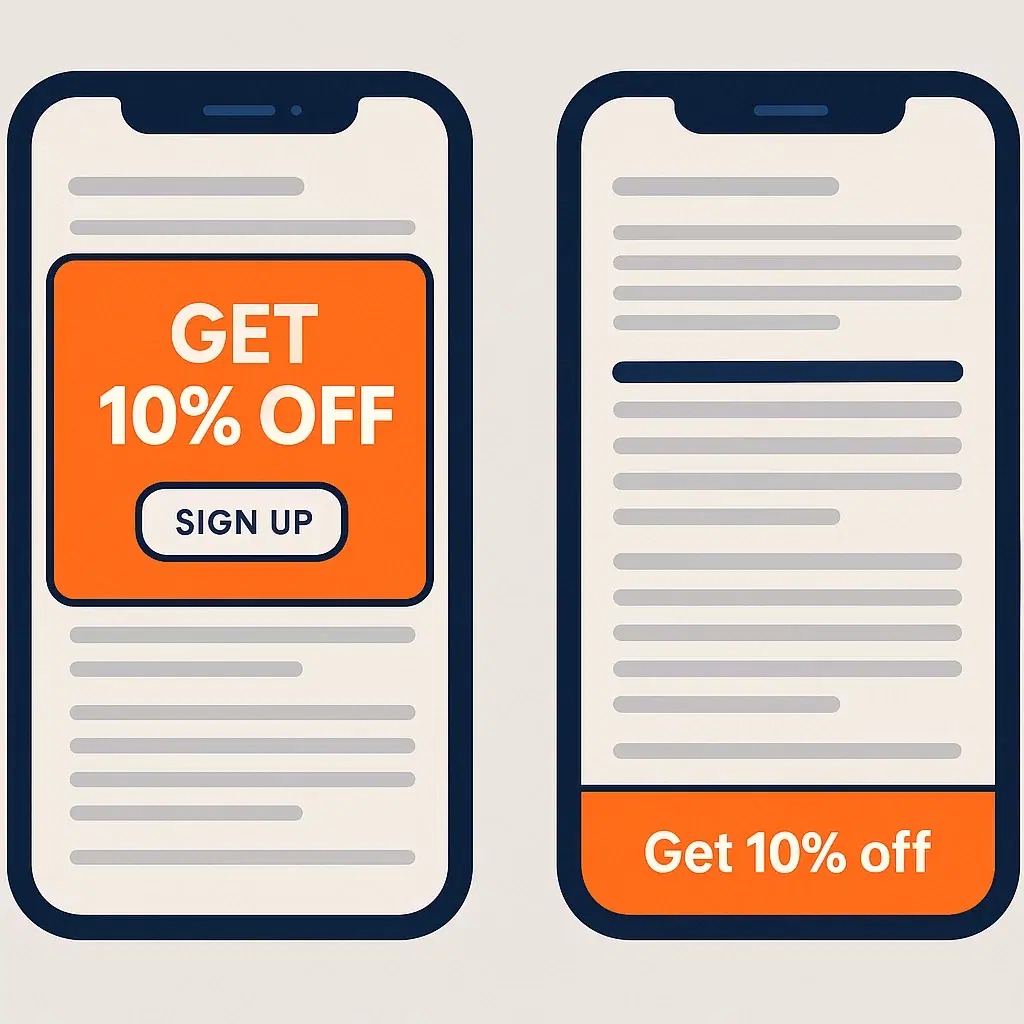
Why it matters: On mobile, full-screen pop-ups can block content or be impossible to close. Google even penalizes intrusive pop-ups.
What good looks like: Any pop-up (like a coupon offer) is small, easy to close, and doesn't hide your main content. Test it yourself: if you can't close it instantly, it needs fixing.
8. Test Your Forms and Checkout
Why it matters: If customers can't fill out your contact form or complete a purchase easily, they'll quit — and you'll never know.
What good looks like: Try your main forms on your phone. Can you type easily? Submit without errors? See confirmation? For e-commerce, run a full test order — all the way to payment. Any confusing step means lost revenue, so flag issues to your web person.
9. Clickable Contact Info
Why it matters: Mobile visitors often want to call, email, or find you right away. Don't make them copy-paste.
What good looks like: Your phone number is tap-to-call, your address opens maps, and your email link opens their mail app. It's an easy fix that makes your site feel effortless.
10. Quick Speed Check Tools
Why it matters: Even without tech skills, you can spot red flags.
What good looks like: Use free tools like Google's PageSpeed Insights or GTmetrix. You'll see a color score (green is good) and a list of slowdowns your web person can handle. Don't stress about the details — just ask them to fix anything marked "slow" or "large file size."
Bonus: How to Talk to Your Web Person
You don't need to understand HTML or CSS. You just need to describe what users feel:
- "It takes forever to load on my phone."
- "The text looks tiny on smaller screens."
- "The contact button is hard to tap."
That feedback is gold for your web professional. They'll know the technical fix, and you'll be giving them clear direction in plain English.
Quick Self-Test: 2 Minutes on Your Phone
Right now, open your website on your smartphone and walk through it like a first-time visitor.
Ask yourself:
- Does it load fast?
- Is it easy to read and scroll?
- Can I find the contact info or buy button without hunting?
- Does everything fit on the screen?
- Can I click buttons comfortably with one thumb?
If you said "no" to any of those, hand this checklist to your web person. These are usually quick fixes that make a big difference.
The Payoff
Speed and mobile usability are invisible when they work — and painfully obvious when they don't. A fast, phone-friendly website keeps customers happy, boosts search rankings, and builds trust before they ever speak to you. SOVA NATALIIA's online store is what that looks like in practice: sub-second page loads and a checkout that works on any phone.
For a local business, that can mean:
- More calls and online bookings
- Better word-of-mouth ("Their site was so easy to use!")
- A stronger edge over competitors who still frustrate their mobile visitors
You don't need to be a tech expert to make it happen. You just need to ask the right questions and ensure your website feels quick, clean, and effortless on every device.
So grab your phone, test your site, and if anything feels slow or awkward, pass this checklist to your web person — or send it to us and we'll run the check for you. They'll know what to do — and your customers will thank you with their clicks, calls, and trust.